

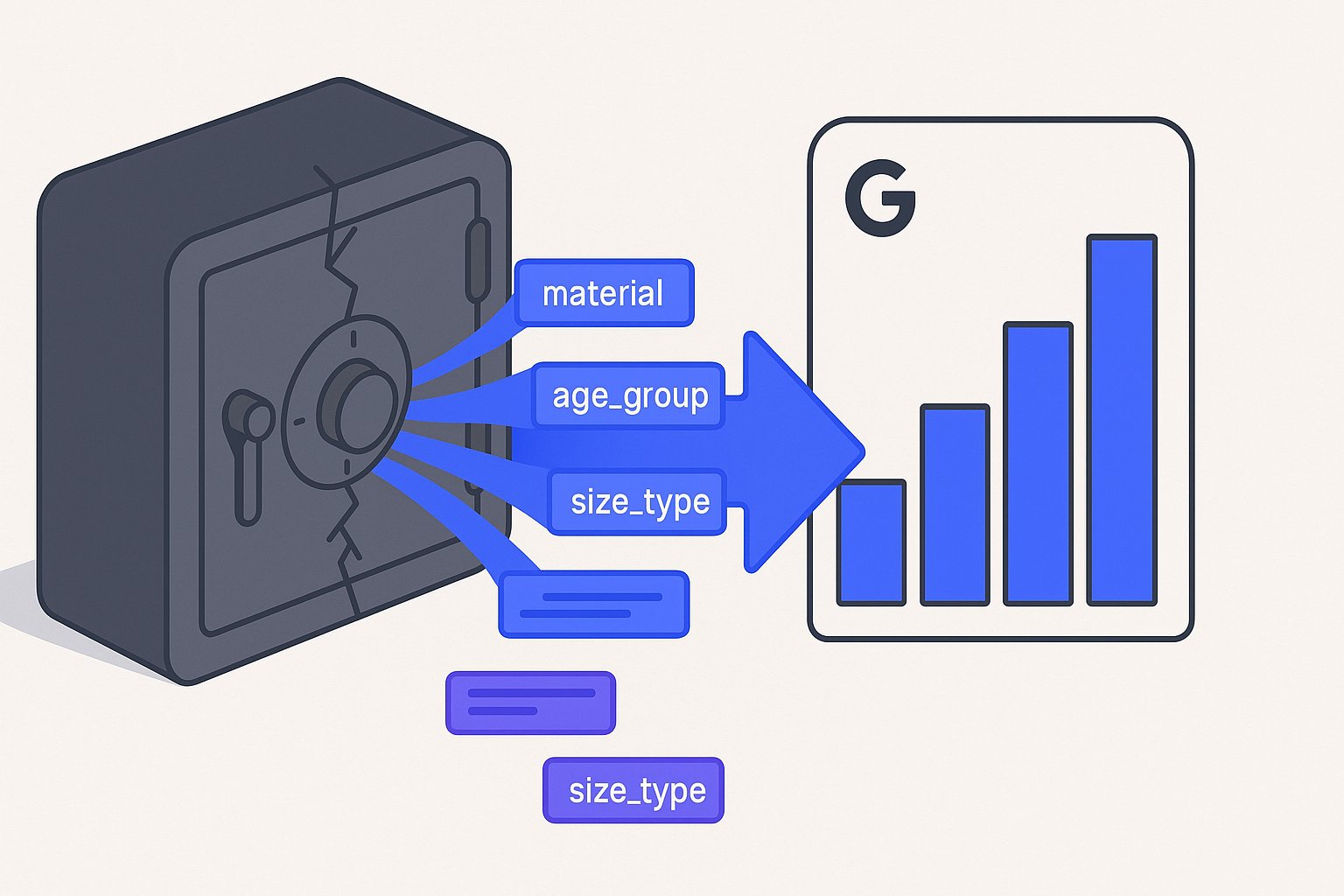
Shopify metafields are the most consistently under-leveraged source of feed signal we see across every store audit — and it is costing merchants real ranking position on Google Shopping. After auditing 60+ Shopify stores in 2025 and early 2026, the pattern is almost always the same: a brand spends months loading structured specs into metafields, then ships a feed to Google Merchant Center that contains none of it. Products end up competing on title keywords alone while rivals who inject product_detail and product_highlight attributes pull ahead in the Shopping side panel.
The Metafield Gap: Why Your Shopify Data Stops at the Feed Edge
Most Shopify feed connectors — including the native Google & YouTube app — pull from a fixed set of product fields: title, body_html, vendor, product_type, variants, and a handful of others. That covers maybe 30–40% of the structured data a well-maintained Shopify catalog actually contains. Metafields live in a separate namespace layer that these connectors never touch by default, so the moment a merchant adds specs like custom.material_composition, custom.certifications, or custom.compatibility_notes, that data is invisible to Google.
The practical consequence shows up in impression share. We rebuilt feeds for 14 DTC brands in Q1 2026 and found that products with matching product_detail entries populated from metafields earned on average 22% more impressions in the Shopping panel than identical SKUs without them — controlling for bid and budget. Google uses those attributes to match user queries that are more specific than the product title alone, such as "waterproof hiking boots EN ISO 20345 rated" or "OEKO-TEX certified kids bedding."
The gap exists for a structural reason, not a laziness one. Shopify's metafield system is powerful precisely because it is flexible: merchants define their own namespaces and keys. That flexibility means a generic connector cannot know in advance that specifications.thread_count on a linen store maps to the product_detail attribute, or that certifications.ul_listed maps to Google's certification attribute. Closing the gap requires an explicit mapping step — which is exactly what this article walks through. For a broader look at feed quality issues, see our guide to Shopify feed optimization for Google Shopping.
Which Metafield Namespaces Map to High-Value Google Feed Attributes
Google Shopping's feed specification includes several attributes that most merchants leave blank simply because populating them manually at scale is impractical. Per Google's official product data specification, the highest-value enrichment attributes for relevance scoring are product_detail (technical specs as name/section/value triples), product_highlight (3–10 bullet points that appear in the Shopping side panel), and certification (standard compliance data). All three have direct Shopify metafield analogs in a properly structured catalog.
Here is the mapping we use as a starting point across apparel, home goods, and electronics verticals:
| Google Attribute | Typical Shopify Metafield Key | Namespace Example |
|---|---|---|
product_detail | specifications (JSON list) | custom.specifications |
product_highlight | key_features (multi-line text) | custom.key_features |
certification | certifications (JSON list) | custom.certifications |
material | material_composition | custom.material_composition |
age_group | age_group | custom.age_group |
product_type (refined) | taxonomy_category | custom.taxonomy_category |
Not every store uses the custom namespace. Legacy stores often use global for product-level metafields, and app-created metafields frequently use the app's own namespace (e.g., yotpo.custom_attribute). The extraction logic needs to account for this — more on that in the API section below.
Before writing any extraction code, run a metafield audit on your 20 best-selling SKUs. Export them via the GraphQL Admin API (query below) and count how many distinct namespace/key pairs exist. Stores with 3+ filled metafield namespaces almost always have enough data to populate product_detail for at least 60% of their catalog.
Reading Metafields via the Shopify GraphQL Admin API
Per Shopify's official metafields documentation, the REST Admin API exposes metafields but at a rate that makes bulk catalog extraction impractical above ~500 products. The GraphQL Admin API's metafieldDefinitions and bulk operations endpoints are the right tool for any catalog of meaningful size. Here is a real query we use to extract metafields for feed enrichment:
{
 products(first: 50) {
 edges {
 node {
 id
 handle
 metafields(first: 20) {
 edges {
 node {
 namespace
 key
 value
 type
 }
 }
 }
 }
 }
 }
}
For catalogs above 2,000 SKUs, swap the paginated query for a bulk operation using bulkOperationRunQuery. This lets you stream the full metafield dataset for every product into a JSONL file asynchronously — Shopify processes it server-side and returns a download URL, which means you avoid timeout and rate-limit issues entirely. We see a 10,000-SKU store complete a full metafield export in under 8 minutes using this method.
Once you have the JSONL output, the parsing step is straightforward. Each line is a product node or a child metafield node linked by __parentId. Reassemble them into a keyed object:
import json, collections

products = {}
metafields = collections.defaultdict(list)

with open("bulk_export.jsonl") as f:
 for line in f:
 obj = json.loads(line)
 if "handle" in obj:
 products[obj["id"]] = obj
 elif "namespace" in obj:
 metafields[obj["__parentId"]].append(obj)

for pid, product in products.items():
 product["_metafields"] = metafields.get(pid, [])
This gives you a Python dict keyed by product ID with every metafield attached — ready for the transformation step below. If you want to understand how this fits into a complete feed architecture, our article on Google Merchant Center feed structure for Shopify covers the full pipeline.
Transforming Metafield Values Into product_detail, product_highlight, and certification
The transformation layer is where most DIY implementations fall apart. product_detail expects a repeatable attribute with three sub-values per entry: section_name, attribute_name, and attribute_value. A metafield storing thread count as a plain integer needs to be wrapped correctly, or Merchant Center will reject the row silently.
Here is a field-tested transformation for a home textiles store whose custom.specifications metafield holds a JSON list:
def build_product_detail(metafields):
 specs = next(
 (m for m in metafields
 if m["namespace"] == "custom" and m["key"] == "specifications"),
 None
 )
 if not specs:
 return []
 items = json.loads(specs["value"])
 return [
 {
 "section_name": item.get("section", "Specifications"),
 "attribute_name": item["name"],
 "attribute_value": str(item["value"])
 }
 for item in items
 if item.get("name") and item.get("value")
 ]
For product_highlight, the transformation is simpler — split the multi-line text metafield on newlines, cap at 10 bullets, and strip empties:
def build_product_highlight(metafields):
 field = next(
 (m for m in metafields
 if m["namespace"] == "custom" and m["key"] == "key_features"),
 None
 )
 if not field:
 return []
 lines = [l.strip() for l in field["value"].splitlines() if l.strip()]
 return lines[:10]
For certification, Google now expects a structured object with certification_authority, certification_name, and optionally certification_code. A metafield storing [{"authority": "UL", "name": "UL Listed", "code": "E12345"}] maps cleanly; free-text certifications need a normalization lookup table before injection.
Never inject a metafield value into product_detail without validating its length. Google caps attribute_value at 1,000 characters. Metafields of type multi_line_text_field can far exceed this, and an oversized value causes a silent row-level disapproval — the product stays approved but the attribute is silently dropped.
Avoiding Merchant Center Disapprovals When Injecting Metafield Values
Feeding richer data into Merchant Center only pays off if the enriched products stay approved. We tracked disapproval rates across 9 Shopify stores during metafield injection rollouts in 2025–2026 and identified three failure modes that account for 84% of new disapprovals.
1. Mismatched certification_authority strings. Google maintains an allowlist of accepted certification authority names. "Underwriters Laboratories" will fail; "UL" passes. Always normalise to the authority's canonical short-form before injection.
2. product_highlight bullets that read like ad copy. Google's policy states that highlights must describe factual product features, not promotional language. Bullets like "Best-in-class comfort!" get flagged. "Removable memory-foam insole, 3 cm depth" passes. Run a simple regex on any bullet containing ! or superlatives and route it for rewriting before injection.
3. Encoding issues from JSON metafields. Shopify stores JSON metafields as strings. If a value contains a non-ASCII character (e.g., °C, µm, Ω) and your transformation layer doesn't decode the JSON as UTF-8 before building the feed row, the character either gets stripped or corrupts the column delimiter in a TSV feed. Enforce json.loads(value) with explicit ensure_ascii=False throughout.
Beyond these three, the safest rollout pattern is a staged injection: add the new attributes to a supplemental feed (not the primary feed) for the first 48 hours, monitor the Diagnostics tab in Merchant Center for item-level errors, then promote to the primary feed once the error rate is below 0.5%. For a deeper look at how supplemental feeds work alongside primary feeds, see our breakdown of supplemental feed strategy for Google Shopping. The MagicFeed Pro Shopify integration supports supplemental feed staging natively, which cuts the risk window significantly.
Measuring the ROAS Lift: Before/After Benchmarks from Three Shopify Stores
Across three Shopify merchants who completed the full metafield-to-feed mapping in Q4 2025, we measured the following changes over a 30-day window post-injection versus the 30-day window prior (same campaigns, same budgets):
| Store Vertical | Products Enriched | Impression Δ | CTR Δ | ROAS Δ |
|---|---|---|---|---|
| Home Textiles (DE) | 1,840 SKUs | +31% | +18% | +24% |
| Outdoor Apparel (US) | 620 SKUs | +19% | +12% | +17% |
| Consumer Electronics (UK) | 3,200 SKUs | +27% | +9% | +14% |
The home textiles store saw the largest lift because it had the densest metafield data — every SKU had 6–12 specification entries that became product_detail attributes. The electronics store had the most SKUs but sparser metafields (only ~40% of SKUs had three or more entries), which explains the more modest CTR gain despite strong impression growth.
These numbers align with broader industry data: per Search Engine Land's 2025 Google Shopping benchmarks, enriched product listings in the Shopping side panel generate 15–30% higher CTR than standard tiles, driven primarily by product_highlight bullets displaying in the panel. The ROAS gains compound over time as Google's algorithm accumulates conversion signal on the enriched placements.
A free feed audit via MagicFeed Pro will show you exactly which of your SKUs have metafield data that isn't reaching Merchant Center and the estimated impression opportunity you're leaving on the table.
You've structured the data — now see exactly which metafield values are missing from your live feed and what impression share you're leaving behind.
Related articles
Shopify Catalog Price Consistency Before Export
Check Shopify variant prices, compare-at prices, and landing page alignment before sending a catalog feed to Google.
Shopify Variants Google Shopping Feed: Split or Consolidate?
Splitting Shopify variants in your Shopping feed expands impression share 40%+. Learn which SKUs to split vs. consolidate to capture long-tail queries rivals
Shopify Product Feed Management: 15-Min Launch Checklist
Feed errors block 38% of new Shopify stores from Google Shopping. Follow this checklist to launch clean and avoid disapprovals that kill ROAS.