

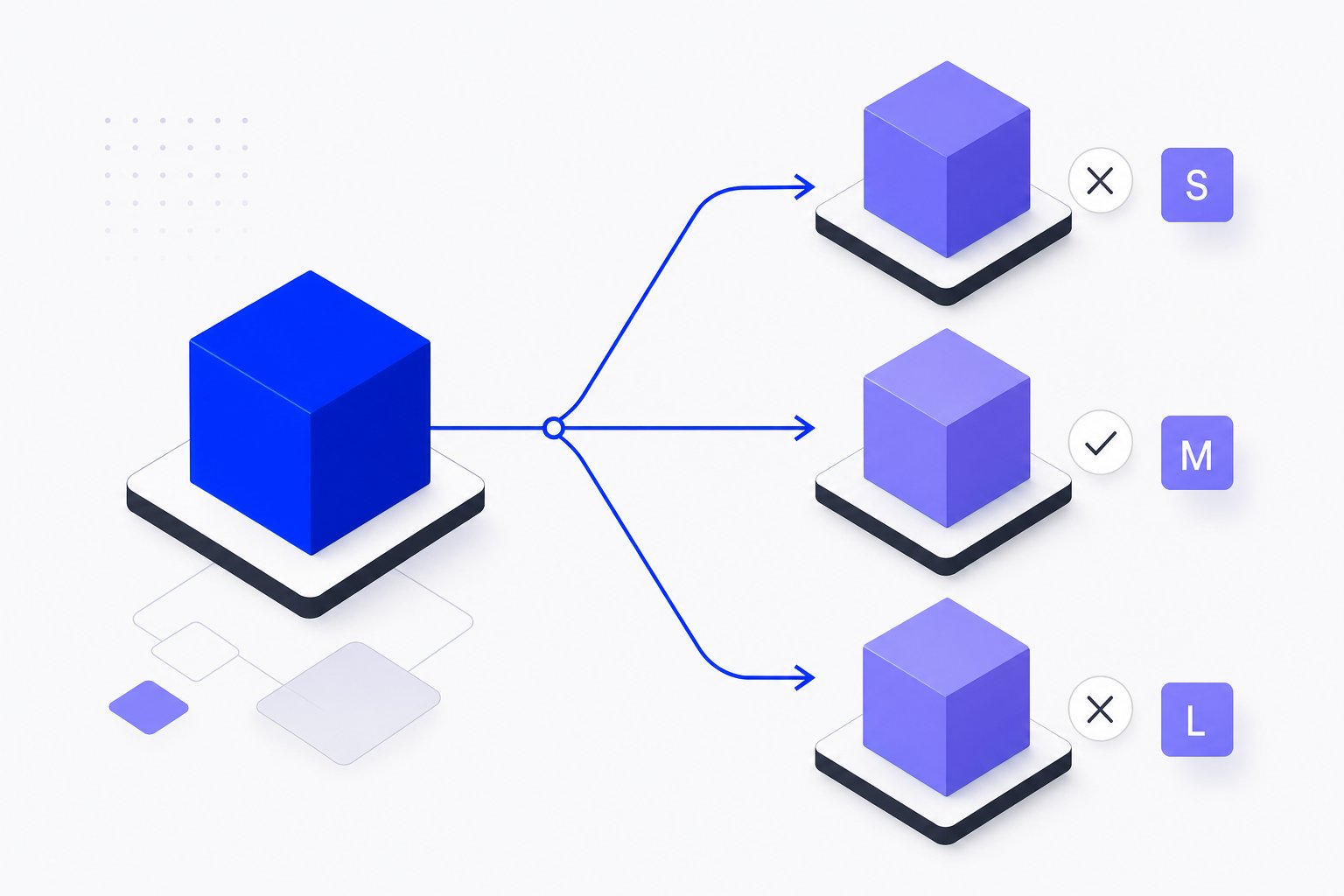
When you export a WooCommerce variable product to a shopping feed, every child variation becomes its own feed item with its own id. The question that trips up many catalog operators is straightforward: should the title for each of those child items repeat the parent product name, or should it describe the specific variation?
The answer is determined by platform requirements, not preference. This article covers what Google requires, how WooCommerce exposes the data you need, and a practical approach to building variation-level titles at scale.
Why the Parent Title Alone Is Not Enough
Google's product data specification is explicit on this point. According to Google documentation, you must "Distinguish between variants. Add the distinguishing details of each variant to the title." The same guidance gives a concrete example: Google T-Shirt, Red. It then reinforces the point: "Don't forget to submit these details also through the appropriate attributes such as color [color], size [size], or age group [age_group]."
This is a minimum requirement, not a recommendation. Google states: "These are the requirements you'll need to meet to show your product. If you don't follow these requirements, we'll disapprove your product." Submitting the same parent title — for example, Acme Yoga Mat — across every child variation (Small/Blue, Large/Red, XL/Green) means none of those variations technically meets the distinguishing-details requirement.
The character limit for the title attribute is 1–150 characters. If your assembled variation title exceeds 150 characters, Google documentation notes it "will truncate it to fit" and you will receive a warning in Merchant Center. Keep assembled titles well under that ceiling, especially if you are appending multiple variant attributes.
One additional editorial note from the same specification: use "professional and grammatically correct language" and avoid all caps, symbols, HTML tags, and promotional text. These rules apply equally to variation-level titles.
How WooCommerce Stores Variation-Level Data
Before you can build a variation title, you need to understand where WooCommerce keeps the relevant attribute values. A variable product in WooCommerce consists of a parent post and one or more child variation posts. Each variation post stores its own attribute values — color, size, material, or any custom attribute you mark as Used for variations.
The WooCommerce REST API exposes this structure cleanly. According to WooCommerce developer documentation, "WooCommerce (WC) 2.6+ is fully integrated with the WordPress REST API. This allows WC data to be created, read, updated, and deleted using requests in JSON format." The current integration version is v3.
For feed generation, the two most useful endpoints are:
GET /wp-json/wc/v3/products— returns parent products with their attribute definitionsGET /wp-json/wc/v3/products/{id}/variations— returns each child variation including its specific attribute values
The REST API documentation also notes that "Requests that return multiple items will be paginated to 10 items by default" and can be adjusted with the ?per_page parameter. For large catalogs, always page through results using the X-WP-TotalPages response header rather than assuming a single request returns everything.
Each variation object in the API response includes an attributes array. Each element in that array carries a name (e.g., "Color") and a option value (e.g., "Slate Blue"). Those are the values you join to the parent name to form the variation title.
Building Variation Titles: Structure and a Hypothetical Example
A widely used formula for variation titles follows this pattern:
[Brand] [Parent Product Name] - [Attribute 1] - [Attribute 2]
The order of attributes matters. Put the attributes that shoppers search for most often closest to the front of the title, within the constraints of the 150-character limit. For apparel, color and size are typically the highest-value distinguishing attributes. For electronics accessories, compatibility or connectivity standard may be more important.
Hypothetical example (illustrative only, not a measured result):
Imagine a WooCommerce store selling a variable product called TrailReady Backpack with variations across two attributes: Size (28L, 45L) and Color (Forest Green, Slate Blue).
The parent product title is: TrailReady Backpack
Variation-level titles built for the feed would look like:
| Variation SKU | Feed Title |
|---|---|
| SKU-28-FG | TrailReady Backpack - 28L - Forest Green |
| SKU-28-SB | TrailReady Backpack - 28L - Slate Blue |
| SKU-45-FG | TrailReady Backpack - 45L - Forest Green |
| SKU-45-SB | TrailReady Backpack - 45L - Slate Blue |
Each title is distinct, identifies the specific variation, and stays well inside the 150-character limit. Each variation would also need the color and size attributes submitted separately in the feed — the title alone does not replace those dedicated attributes.
Note that the color and size values in the title should match what you submit in the corresponding feed attributes. Inconsistency between the title text and the structured attribute fields can contribute to Merchant Center data quality issues.
Pulling Variation Data at Scale with the REST API
For stores with hundreds or thousands of variations, manual title editing is not practical. The REST API approach described above allows a feed tool or custom script to:
- Fetch all parent products with
GET /wp-json/wc/v3/products?type=variable&per_page=100 - For each parent, fetch its variations with
GET /wp-json/wc/v3/products/{parent_id}/variations&per_page=100 - Read the
attributesarray on each variation object - Concatenate the parent name with the variation attribute values to produce a unique title string
- Write that string to the
titlefield for the variation's feed row
Authentication requires consumer key and consumer secret credentials generated under WooCommerce > Settings > Advanced > REST API. The API documentation recommends HTTPS for all requests.
Magicfeedpro handles this variation-level title assembly as part of its feed generation workflow, so you do not need to maintain a custom script.
Checklist Before Submitting Variation Titles
- Each variation has a unique title that includes at least the parent name plus its distinguishing attribute values.
- Title length is under 150 characters for every variation.
- The attribute values in the title match what you submit in
color,size, or other dedicated feed attributes. - No promotional text, HTML, or all-caps styling is present.
- Variation-level data was pulled from
/wp-json/wc/v3/products/{id}/variations, not assumed from the parent record.
Meeting these requirements keeps each variation eligible for review in Merchant Center and ensures shoppers see a title that accurately describes the specific item they are viewing.
Related articles
WooCommerce REST API: Price and Stock Fields for a Shopping Feed
Which WooCommerce REST API fields carry price, stock status and quantity for simple products and variations in a Shopping feed.
WooCommerce Variation Product Feed: Complete Data Checks
How to prepare accurate WooCommerce variation data for Google Shopping feeds, covering item_group_id, variant attributes, and API retrieval.
Google Shopping Feed for WooCommerce: 2026 Config Guide
Feed misconfiguration costs WooCommerce stores 30%+ of eligible impressions. Map attributes, fix plugin errors, and optimize titles in one session.