

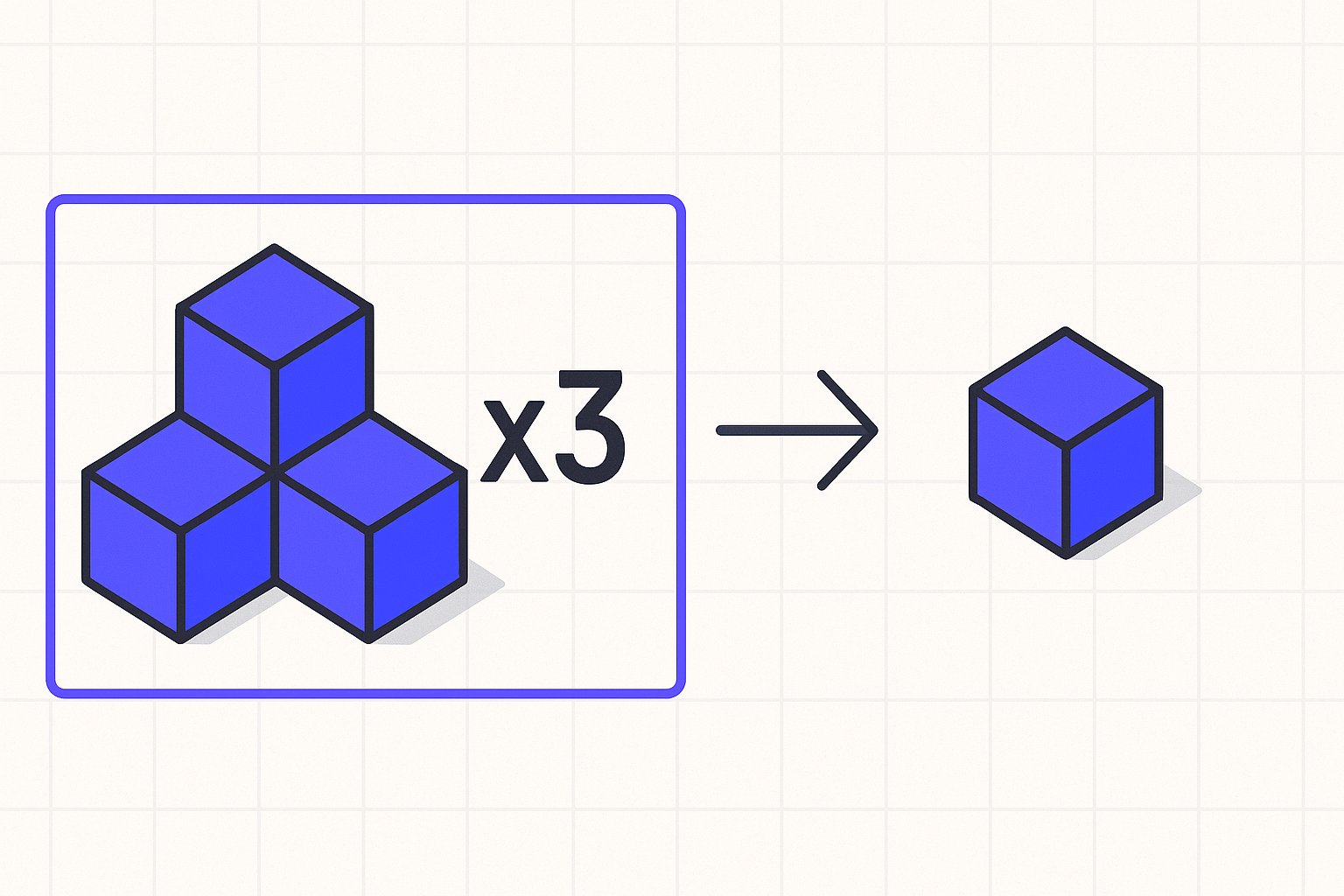
What the Multipack Attribute Is and When It Applies
The multipack attribute tells Google how many identical units are sold together as a single listing. A six-pack of socks, a trio of identical water bottles, or a twin-pack of AAA batteries are all examples where the attribute applies. The key test is simple: are all the items in the package the same product?
This is a conditional attribute in the Google product data specification. The specification notes that some attributes are required depending on the product or the countries in which your products show — the multipack attribute falls into this "it depends" category. For many categories and markets, omitting it when it applies can cause mismatches between what Google understands about your product and what a shopper actually receives.
When you sell a multipack, the price attribute should reflect the total price for the entire pack, not the per-unit price. Google needs the multipack value to calculate and display the unit price correctly in listings. Submitting the wrong value — or omitting it — can result in misleading price displays or product disapprovals.
How to Format the Multipack Value Correctly
The multipack attribute accepts a plain integer representing the total number of identical items in the package. There are no special units, labels, or strings — just the count.
| Package | Correct multipack value |
|---|---|
| Two identical phone cases | 2 |
| Six identical protein bars | 6 |
| Single item (no multipack) | Omit the attribute |
Do not submit 1 for a single-item product. If your product is not a multipack, omit the attribute entirely rather than submitting a value of one.
For text-based feeds (TSV or CSV), enter the integer in the column. For XML feeds, wrap it in the appropriate element tag for your feed schema. The Google product data specification reminds catalog operators to use English when submitting supported attribute values and to follow the formatting rules for their specific data source type — the same principle applies to numeric attributes like multipack.
Hypothetical example (illustrative only): Suppose you sell a twin-pack of identical stainless steel travel mugs with product ID MUG-SS-2PK. The combined price for both mugs is 34.99 USD. In a TSV feed, the relevant columns would look like this:
id          title                              price       multipack
MUG-SS-2PK  Stainless Steel Travel Mug 2-Pack  34.99 USD   2
Nothing in this row changes the GTIN — the manufacturer-assigned identifier stays exactly as assigned. If the two-pack has its own manufacturer GTIN distinct from the single-mug GTIN, submit that two-pack GTIN. Do not modify a single-unit GTIN to try to represent a multipack.
How Multipack Differs from is_bundle
This is the most common source of feed errors with packaging attributes. The two attributes describe fundamentally different product structures, and submitting the wrong one can cause your listing to be categorised incorrectly.
Multipack: Multiple units of the same product sold together. All items are identical.
is_bundle: A group of different products sold together as one package, where one item is the main product. According to Google documentation, you should "Use the bundle [is_bundle] attribute to indicate that you've grouped a main product with other, different products, sold together as one package for a single price."
The distinction matters for how Google matches your listing to queries and how it classifies your product against manufacturer-defined packaging. The same Google documentation is explicit about scope: Google documentation states "Don't submit the bundle attribute for a manufacturer-defined bundle" — meaning is_bundle is specifically for retailer-created combinations, not factory-packaged products.
Here is a quick reference to keep the two straight:
| Scenario | Correct attribute |
|---|---|
| 3-pack of identical AA batteries | multipack = 3 |
| Camera body sold with a lens and bag you assembled | is_bundle = yes |
| Video game console sold with 3 games (retailer-assembled) | is_bundle = yes |
| Factory-sealed twin-pack of identical hand cream | multipack = 2 |
| Hat and scarf set sold together (manufacturer-defined) | Neither — is_bundle = no |
Note that the last row reflects Google's own example: a manufacturer-defined set does not qualify for is_bundle = yes.
Common Mistakes to Avoid
Submitting is_bundle instead of multipack for identical-item packs. A six-pack of identical protein bars is not a bundle. Using is_bundle = yes here misrepresents the product type to Google's classification system.
Setting multipack = 1 for single items. Omit the attribute; do not submit a value of one.
Pricing per unit instead of per pack. Your price attribute must match what the customer pays for the full quantity described by the multipack value. A mismatch between the listed price and the landing page price is one of the issues flagged under incorrect or inaccurate product information in Merchant Center diagnostics — and as the Google product data specification warns, "Incorrect, inaccurate, or missing product information can cause disapprovals, limited eligibility, incorrect displays for your products, or other Issues in Merchant Center."
Inventing or modifying GTINs for multipacks. If the manufacturer has assigned a distinct GTIN to the multipack SKU, submit that identifier. If they have not, handle the identifier situation according to your category's GTIN requirements rather than altering the single-unit GTIN.
Applying multipack logic to accessories or add-ons. If the items in the package are different from each other, that is a bundle scenario, not a multipack.
Keeping Your Feed Clean
Catalog operators managing large SKU sets often find packaging attributes inconsistently mapped — especially when product data is imported from supplier sheets or ERP systems that do not distinguish between pack types. A periodic audit of listings where the title contains words like "pack", "set", "twin", or "bundle" is a practical starting point for identifying candidates that may need the multipack or is_bundle attribute reviewed.
Magicfeedpro is built to help catalog operators manage exactly this kind of attribute mapping at scale — importing product data, structuring destination feeds, and maintaining the field-level accuracy that Merchant Center diagnostics surface when something is off.
For a broader look at the attribute errors most likely to trigger Merchant Center disapprovals, the Google Merchant Center Errors: 12 Common Fixes article covers the diagnostic patterns that appear most frequently across feed audits.
Related articles
Shipping Attribute in Google Shopping Feeds: Format and Rules
Learn the exact sub-attributes, mandatory conditions, and formatting rules for the shipping attribute in Google Shopping product feeds.

is_bundle Attribute in Google Shopping Feeds: A Practical Guide
Learn when and how to submit the is_bundle attribute correctly to avoid disapprovals in Google Merchant Center.
Backorder vs Out of Stock: availability for In-Transit Stock
Learn which availability value to submit for products en route from your supplier, and what Google requires.