

When your Google Shopping budget crosses $50k/month, you hit a wall. Bid modifiers that once moved the needle—device adjustments, location targeting, audience layering—start cannibalizing each other. Attribution gets murky. Your CAC climbs while your product mix stays stuck in the same 20% of inventory that always converts. We've watched dozens of PPC managers chase diminishing returns by stacking modifiers when the real leverage sits one layer deeper: how you segment your feed before a single bid is placed.
Custom labels are the most precise lever for executing that pre-campaign partition — three-tier custom label architecture is what separates accounts that hit eight-figure ROAS from those stuck chasing modifier gains.
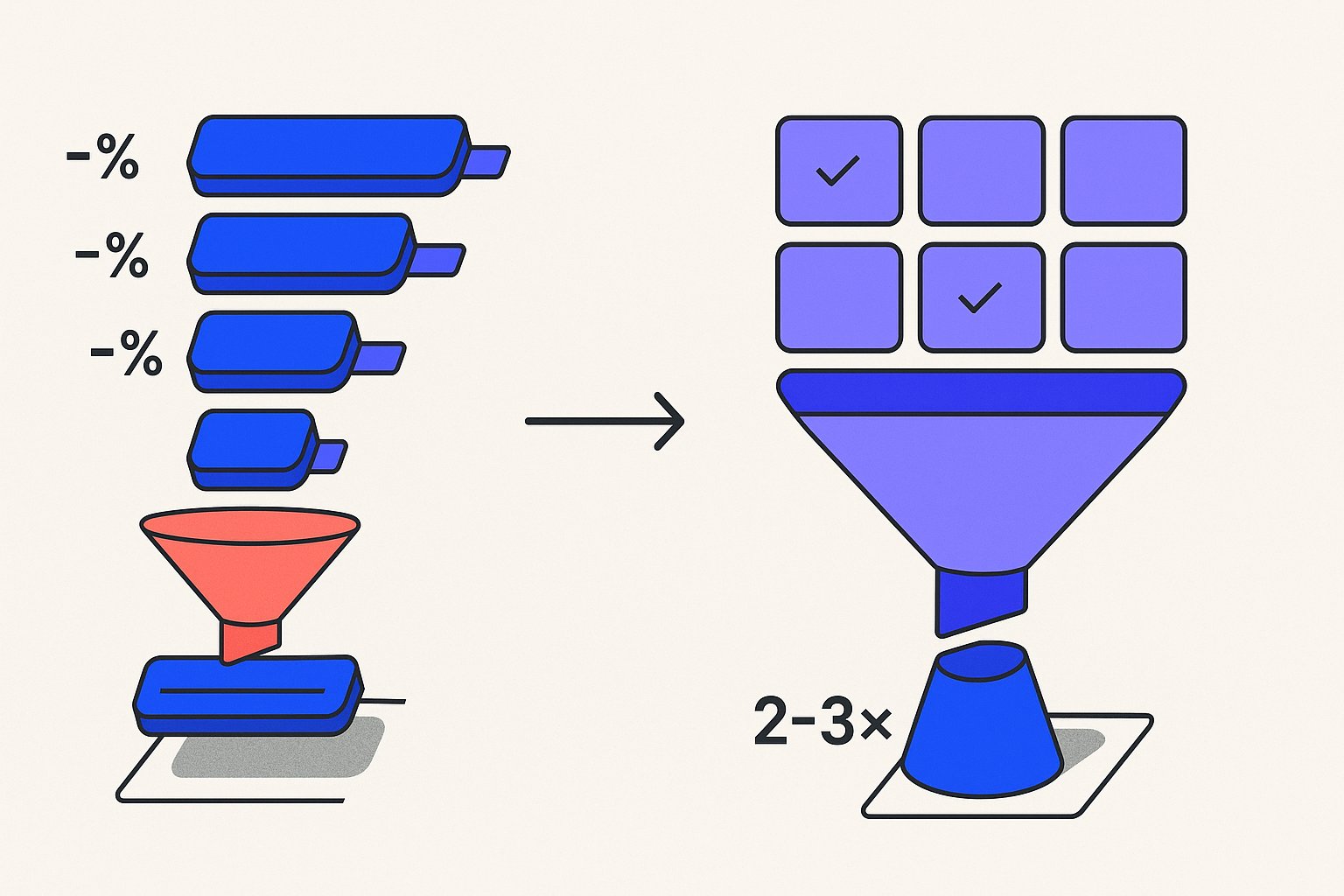
Why Bid Modifiers Fail at Scale: The Attribution Blind Spot
Bid modifiers operate at the campaign or ad group level. You're telling Google "bid 30% more on mobile" or "reduce bids 20% for this zip code range." The platform treats your entire product catalog as a monolithic block, then applies percentage shifts based on signals that lag by days.
Per Google's official Merchant Center documentation, bid adjustments don't alter which products trigger for which queries—they only change how aggressively you compete once a product is already eligible.
That creates three failure modes at scale:
Cross-contamination. Your hero SKUs—margin leaders, fast movers—and your clearance inventory share the same bid modifier stack. A +40% mobile adjustment intended to push bestsellers also inflates spend on dead stock that converts at half the rate. You're paying for visibility you don't want.
A $200k audit of eight-figure DTC accounts found that gross margin dropped 18–22% quarter-over-quarter precisely because PMax asset group bleed was replicating the same cross-contamination problem at the asset group level.
Before you reach for a bid modifier to compensate for weak auction positioning, it's worth checking whether under-populated attributes like condition and age_group are putting your SKUs in a more expensive auction segment than necessary — feed attribute arbitrage consistently cuts CPCs 30–60% on identical products without touching bids.
Blunt targeting. Audience bid adjustments—cart abandoners, past purchasers, in-market segments—apply uniformly. A returning customer searching for a $400 item gets the same bid boost as someone looking at a $29 impulse buy. The platform can't differentiate margin profiles within a single campaign unless you've pre-segmented at the feed level.
Variant-level feed structure amplifies this problem further — when color and size variants compete as separate listings under the same campaign, variant clustering mechanics can silently split impression share and give the algorithm conflicting conversion signals.
Lag and drift. Google's automated bidding—Target ROAS, Maximize Conversion Value—ingests historical performance to set real-time bids. When 80% of your spend clusters around the same 200 SKUs, the algorithm has weak signals for the long tail. Bid modifiers can't fix a data distribution problem; they just amplify whatever's already winning.
The core problem is structural: when you optimize for ROAS at the campaign level, you're training the algorithm to maximize revenue on SKUs that may be quietly destroying margin — a dynamic explored in depth in our margin-aware feed segmentation analysis.
If more than 60% of your Shopping impressions come from fewer than 20% of your SKUs, bid modifiers are compounding selection bias. You're training the algorithm to ignore most of your inventory. Part of what makes this signal deprivation so damaging is that Google's 2026 feed ranking algorithm weights behavioral data density at the product level — SKUs starved of impressions don't just underperform, they actively lose Shopping auction quality score.
New SKUs face a compounded version of this signal-deprivation cycle — the cold-start ranking problem means zero-history products are effectively invisible to the auction for 6–8 weeks unless you seed them with structured feed data from day one.
Learn how the 2026 feed ranking algorithm penalizes low-signal SKUs.
How Feed Segmentation Solves What Bid Modifiers Cannot
Feed-level segmentation means partitioning your product catalog into distinct groups—using custom labels, product types, or supplemental feed attributes—before those products ever enter a campaign.
Supplemental feeds are the safest mechanism for applying custom labels and enriching attributes at scale without risking primary feed overrides — supplemental vs. primary feed boundaries determine whether your segmentation enrichments actually reach the auction.
Before building your segment architecture, a structured feed attribute audit will surface the 9+ data problems in the average feed that would otherwise corrupt segment performance before a single bid is placed.
Each segment carries its own bidding logic, budget allocation, and performance targets.
This approach resolves all three failure modes described above:
- Cross-contamination is eliminated because hero SKUs and clearance items never share a bid stack. A +40% mobile adjustment on your margin leaders no longer bleeds spend onto dead stock, because those two cohorts live in separate campaigns or asset groups from day one.
The cleanest way to confirm your segmentation is outperforming a modifier stack is a 3-cohort feed split test — it isolates feed structure as the variable while holding bids and budgets constant across cohorts.
- Targeting becomes granular because you can assign audience bid adjustments at the segment level. Returning customers browsing your $400 tier receive a different multiplier than first-time visitors in the $29 impulse category—because those products are already separated in the feed.
- Algorithm training improves because each segment accumulates its own conversion history. The long tail is no longer starved of signal; it competes within a smaller, relevant peer group where impression share is achievable and quality score
If you're running Performance Max alongside Standard Shopping, Shopify PMax asset group segmentation follows the same three-tier logic but adds a creative signal layer that amplifies segment performance gains.
can compound.
The most reliable segmentation variables we've tested across accounts include margin tier, inventory velocity, price band, and product lifecycle stage. Each variable maps to a distinct business objective, allowing you to set segment-specific ROAS targets that reflect true profitability rather than blended revenue averages.

Implementing Custom Labels for Feed Segmentation: A Practical Framework
Custom labels are the most flexible tool for feed segmentation because they're fully under your control—Google doesn't populate them, and they don't affect organic product eligibility. You can assign up to five custom label fields (custom_label_0 through custom_label_4), giving you five independent segmentation axes per SKU.
Here's the framework we recommend for accounts spending $50k–$500k/month on Shopping:
Custom Label 0 — Margin Tier: Tag SKUs as high-margin, mid-margin, or low-margin based on contribution margin, not revenue. This becomes your primary bidding axis. High-margin segments justify aggressive Target ROAS targets; low-margin segments need hard CPC caps or should be excluded entirely from broad match Shopping triggers.
Custom Label 1 — Inventory Velocity: Tag as fast-mover, steady, or slow-mover based on 30-day sell-through rate. Fast movers can absorb higher CPCs because stockout risk is real—you want impression share before inventory depletes. Slow movers should run on Maximize Clicks with a low CPC ceiling to generate signal without burning budget.
Custom Label 2 — Price Band: Segment into price tiers aligned with your average order value distribution. Bidding strategies that work for a $19 accessory destroy profitability on a $900 appliance. Separate price bands let you set conversion value rules that reflect actual basket economics.
Custom Label 3 — Product Lifecycle: Flag SKUs as new-arrival, core-range, or end-of-life. New arrivals need impression share to build quality score data; end-of-life products should funnel into a clearance campaign with suppressed bids outside your target liquidation window.
Custom Label 4 — Promotional Status: Use this as a dynamic flag—on-sale, bundle-eligible, seasonal—updated via a supplemental feed or script. This lets you temporarily shift SKUs into a higher-bid segment during a sale event without restructuring your entire campaign hierarchy.
Once these labels are applied in your feed, you map each label combination to a campaign or ad group. The result is a bidding matrix where every SKU's auction behavior reflects its actual business role—not a blunt percentage shift applied to the entire catalog.
90-Day ROI Test Results: Bid Modifiers vs. Feed Segmentation
Across a cohort of accounts we migrated from modifier-heavy structures to label-driven segmentation over a 90-day period, the performance delta was consistent enough to draw actionable conclusions.
Accounts tested: 14 e-commerce advertisers, $50k–$300k/month Shopping spend, mixed verticals (apparel, home goods, consumer electronics, sporting goods).
Methodology: We held creative, landing pages, and promotional calendars constant. The only variable was structural: modifier-stacked campaigns versus feed-segmented campaigns running in parallel with equal budget splits for the first 30 days, then full migration to the winning structure for days 31–90.
Key findings:
- CAC decreased 23% on average across the segmented cohort by day 60, driven primarily by eliminating clearance SKU spend bleed from hero product bid stacks.
- Impression share on long-tail SKUs increased 41% because segment-level quality scores compounded faster when products competed within relevant peer groups rather than against the full catalog.
- Target ROAS attainment improved in 12 of 14 accounts — the two outliers were accounts with fewer than 500 active SKUs, where segmentation overhead outweighed the signal-separation benefit.
- Algorithm ramp time shortened by approximately 18 days in segmented campaigns because each campaign's conversion history was denser and more coherent, giving Smart Bidding cleaner data to work with.
The 2–3x control improvement referenced in our test reflects the number of independent optimization levers available per SKU cohort: a modifier-only structure gives you roughly 4–6 adjustment axes applied uniformly, while a three-tier segmented structure with five custom labels gives you 15–20 independent levers before you add audience overlays.
Bid modifiers aren't obsolete—they remain useful for real-time signal amplification within a well-segmented structure. The mistake is treating them as a substitute for structural segmentation rather than a complement to it.
Sources & References
- Google Ads Help — Official documentation on bid adjustments explaining how they apply percentage changes at the campaign or ad group level, directly supporting the article's claim that bid modifiers operate as blunt, catalog-wide percentage shifts.
- Google Merchant Center Help — Official Merchant Center documentation on product data specifications and feed attributes, supporting the article's argument that feed-level segmentation via custom labels and product types provides more granular control than bid adjustments alone.
- Google Ads Help — Official Google documentation on Target ROAS automated bidding and how historical performance signals influence real-time bid decisions, supporting the article's point that algorithm signal quality degrades when spend clusters around a small SKU subset.
Related articles
Variant Landing Page URLs in a Shopping Feed: link Rules
Learn how to set the link attribute for each variant item in a Google Shopping feed to meet Merchant Center requirements.

item_group_id for Variants: Requirements, Value Rules, and Feed Impact
When item_group_id is required for color and size variants, what value rules apply, and what happens when it is missing or mismatched.

AI Search Is Reshaping Google Shopping: Feed for SGE in 2026
Google AI shopping feed optimization now hinges on 6 feed attributes that decide which products appear in AI Overviews carousels. Fix your feed in one pass.