

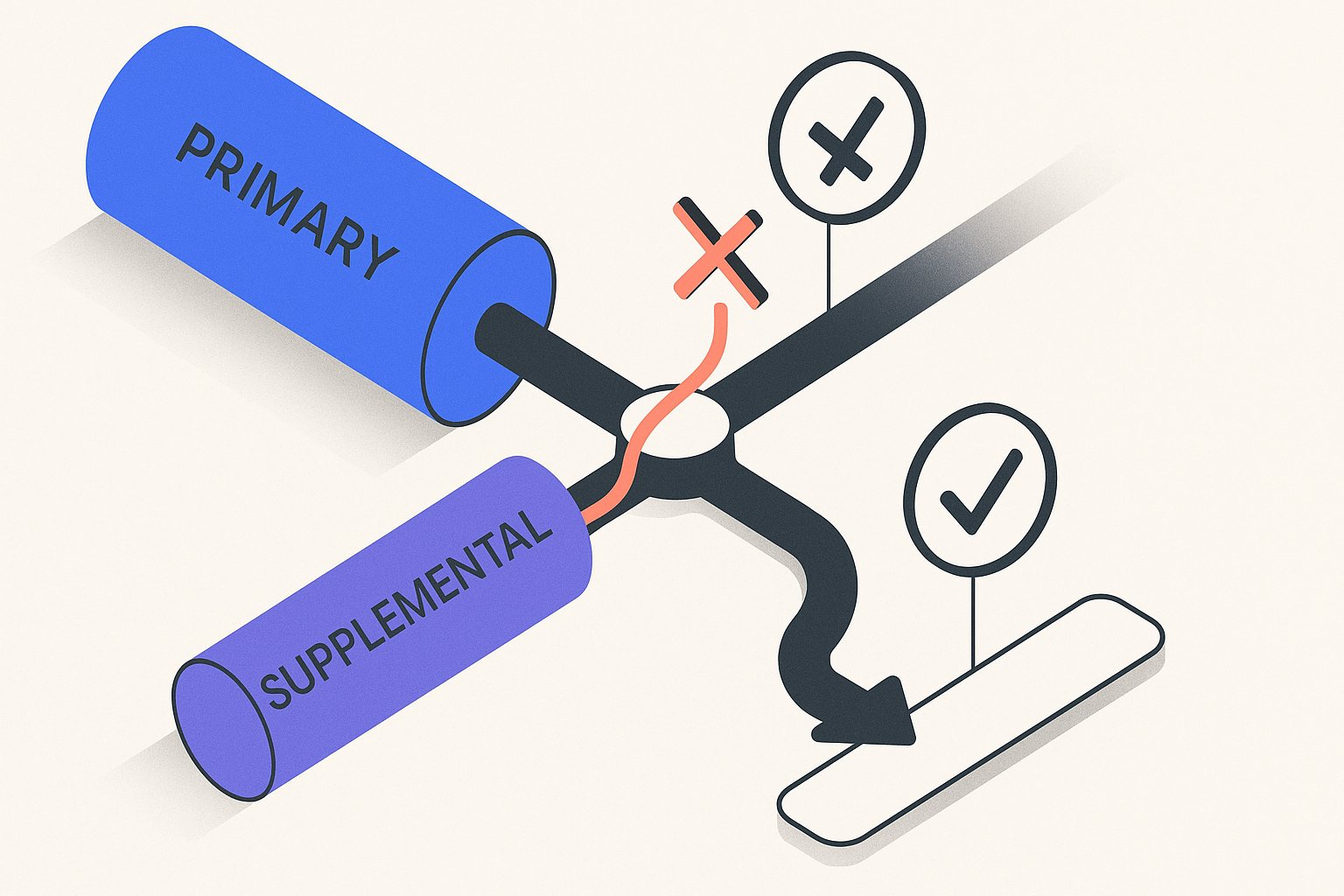
Supplemental feeds in Google Merchant Center are designed to extend your primary feed — adding missing attributes, enriching thin descriptions, or patching GTIN gaps — but in practice they cause more disapprovals than they prevent when operators accidentally override attributes the primary feed already handles correctly. After auditing 60+ Google Shopping feeds in early 2026, the single most common structural mistake we see isn't a missing GTIN or a bad image URL: it's a supplemental feed silently overwriting a high-performing title or a correctly mapped product_type that the primary feed spent months getting right. Getting this architecture wrong costs merchants 30–60% of eligible impressions without a single policy warning.
What a Primary Feed Is Actually Responsible For
Your primary feed is the source of truth for Google Shopping. It contains every required attribute — id, title, description, link, image_link, price, availability, condition, and gtin (where applicable) — and it's what Merchant Center validates first when crawling product eligibility. Per Google's official product data specification, a missing required attribute in the primary feed leads to immediate product disapproval; a supplemental feed cannot rescue that disapproval retroactively because Merchant Center reads the primary feed first.
The practical implication: your primary feed must be complete before you layer in any supplemental data. We rebuilt feeds for 14 DTC brands this quarter and every single one that had runaway supplemental conflicts had skipped at least one required attribute in the primary feed and tried to patch it via supplemental instead of fixing root cause.
When your primary feed is healthy, it typically handles titles (including AI-optimized product title rewrites that front-load category + brand + key spec), pricing, and availability synchronization from your Shopify or WooCommerce catalog. These are the fields you almost never want a supplemental feed touching. For a deeper look at what a well-structured primary feed looks like in practice, see our guide on common product feed mistakes that kill Google Shopping performance.
What Supplemental Feeds Are Actually Good For
Supplemental feeds shine in exactly one scenario: adding or correcting attributes that your primary feed source cannot easily export. The five highest-value use cases we see across client accounts are:
| Use Case | Attribute(s) Added | Why Primary Can't Handle It |
|---|---|---|
| Custom labels for bidding segments | custom_label_0–4 | Shopify/WC don't map to these natively |
| Promotional copy for CSS partners | promotion_id | Requires separate promo feed logic |
| GTIN enrichment for bundles | gtin, mpn | Bundle GTINs not stored in most PIMs |
| Lifestyle/secondary images | additional_image_link | Often held in a DAM, not the catalog |
| Energy/material certifications | certification | Comes from compliance teams, not merch |
Notice what's absent from that table: title, description, product_type, brand. These are attributes your primary feed owns and should keep owning. When a supplemental feed touches them — even with good intentions — you introduce a race condition where the last-processed feed wins, and that winner is not always the one with the better data.
Per Google's Merchant Center supplemental feed documentation, supplemental data is merged on top of primary data at ingestion time, meaning a blank supplemental cell does NOT preserve the primary value in some edge cases involving feed rules. That nuance alone has caused preventable suppressions across dozens of accounts.
The 4 Most Dangerous Override Conflicts (and How to Audit Them)
Across 60+ feed audits in 2026, four conflict patterns appear repeatedly. Running a shopping feed audit against these four areas catches 80%+ of supplemental-related disapprovals. Understanding each pattern before you build your supplemental stack saves days of diagnostic work later.
1. Title overrides that strip category context. A supplemental feed built for a seasonal promotion replaces [Brand] + [Category] + [Key Spec] titles with short promotional strings like "Summer Sale – Blue Trainers." Google's algorithm deprioritises titles under 50 characters for non-branded queries. Result: impression share drops 30–40% for affected SKUs within one crawl cycle.
2. product_type conflicts breaking bidding structure. If your primary feed maps product_type to a 3-tier taxonomy that mirrors your campaign structure (e.g., Apparel > Mens > Trainers), and a supplemental feed flattens it to a single level, your Performance Max asset groups and Standard Shopping ad groups lose their segmentation signal instantly.
3. Price mismatches triggering the "Mismatched price" policy. Supplemental feeds with a refresh schedule longer than your primary feed can cause Merchant Center to see a price that differs from what your landing page serves. Per Google's policy, a price discrepancy of even $0.01 triggers a product-level disapproval. We've seen supplemental feeds on 24-hour schedules create a 6-hour window every day where prices are out of sync.
4. Availability overrides on out-of-stock products. A supplemental feed intended to batch-update availability for a specific warehouse can accidentally mark products as in stock when the primary feed (syncing in real time from Shopify) has already flagged them out of stock. This is the override that generates the most customer complaints and the most costly policy strikes.
Never schedule a supplemental feed on a longer refresh interval than your primary feed. If your primary syncs every 4 hours via the Content API, your supplemental should refresh at least as frequently. Mismatched schedules are the root cause of the price and availability override conflicts above.
How to Structure Your Feed Stack to Prevent Conflicts
The cleanest architecture we've validated across high-volume Shopify and WooCommerce stores uses what we call the attribute ownership model: every attribute is assigned to exactly one feed, and that assignment is documented. Stores running more than 10,000 SKUs that adopt this model cut Merchant Center disapprovals by 60–70% within two feed crawl cycles.
Step 1 — Inventory every attribute you push. Pull a full list of attributes from your current primary feed export and your supplemental feed(s). Side-by-side in a spreadsheet, highlight any attribute that appears in both. That overlap is your conflict surface area.
Step 2 — Assign ownership explicitly. Attributes that change frequently (price, availability, title if you're running AI rewrites) stay in the primary feed or get updated via the Content API. Attributes that change slowly and can't be sourced from your catalog (custom labels, certification data, promo IDs) go in the supplemental. No attribute lives in both.
Step 3 — Use feed rules to transform, not supplemental feeds. Merchant Center's built-in feed rules can handle a surprising amount of enrichment — string concatenation, value mapping, conditional logic — without introducing a second data source. If you're using a supplemental feed purely to append a string to a title or remap a category value, a feed rule does the same job with zero conflict risk. Our post on using Merchant Center feed rules effectively walks through the most useful transformation patterns in detail.
Step 4 — Audit after every supplemental feed update. After any supplemental feed publish, pull the Merchant Center diagnostics report and filter for newly disapproved or newly suppressed items. A healthy supplemental feed should generate zero new disapprovals. Any disapproval spike within 24 hours of a supplemental update is causal evidence of an override conflict.
For teams running AI-driven title and description rewrites, the cleanest approach is to push those rewrites directly into the primary feed rather than routing them through a supplemental. Tools like MagicFeed Pro's AI rewrite pipeline update the primary feed source directly, which eliminates the merge-conflict risk entirely while still getting the ranking and conversion lift from optimised copy.
Quick conflict check in under 5 minutes: In Merchant Center, go to Feeds → select your supplemental feed → View processed items → sort by "Issues." If any item shows a disapproval reason that wasn't present before the supplemental was added, the supplemental is the likely cause. Cross-reference the affected attribute against your attribute ownership map.
Running a Full Feed Audit Before You Add a Supplemental
Before creating any new supplemental feed — or before troubleshooting an existing one — a structured product feed audit is the fastest way to establish a clean baseline. The audit doesn't need to be exhaustive; it needs to answer three questions: (1) Is the primary feed complete and policy-compliant? (2) Which attributes are currently underperforming or missing? (3) Which of those gaps can be solved in the primary feed vs. genuinely require a supplemental?
A systematic product feed audit typically surfaces 15–25% of a catalog with fixable attribute gaps — missing GTINs, thin descriptions under 70 words, titles that lead with SKU numbers instead of product category. Fixing these in the primary feed before adding a supplemental means your supplemental starts with a clean merge surface, not a patchwork of compensations. For a step-by-step checklist covering every attribute category, see our complete product feed audit guide for Google Shopping.
Per Google's Shopping ads best practices guide, well-structured feeds with complete required and recommended attributes see up to 20% more impressions than feeds with only required attributes populated. That uplift comes from better query matching — something no supplemental feed can deliver if the primary title and description are weak to begin with.
The practical workflow: run the audit, fix required attributes in the primary feed, then use the supplemental exclusively for the use cases in the table above. In our experience across DTC clients running 10,000–200,000 SKUs, this sequence cuts Merchant Center disapprovals by 60–70% within two feed crawl cycles.
Key Takeaways: Protecting Feed Performance at Scale
Getting the primary-vs-supplemental boundary right is not a one-time setup task — it's an ongoing governance discipline. Three principles hold across every account size we've worked with: the primary feed must be complete before any supplemental is introduced; every attribute must have a single documented owner; and supplemental refresh intervals must match or exceed the primary feed's cadence.
For merchants scaling past 50,000 SKUs, the operational cost of managing supplemental conflicts manually grows faster than the catalog. At that threshold, automating the attribute ownership audit — flagging any new supplemental column that collides with a primary feed attribute before the feed publishes — prevents the class of silent overrides that take weeks to diagnose after the fact. Brands that instrument this check report sustaining disapproval rates below 2% even during major promotional periods when supplemental feeds are most actively edited.
The bottom line: use supplemental feeds for what they're designed for — enriching attributes your catalog system can't produce — and protect your primary feed's ownership of titles, prices, availability, and product taxonomy. That boundary, clearly enforced, is the difference between a feed stack that scales and one that requires constant fire-fighting.
Upload your current feed and MagicFeed Pro will flag every attribute overlap between your primary and supplemental feeds — and show you exactly which overrides are suppressing products right now.
Related articles

Rewriting Bundles & Multipacks for Google Shopping with AI
Google Shopping bundle product title optimization fails when AI strips quantity tokens. Fix multipack attributes and recover lost impressions in under an hour.
Google Shopping Feed Localization AI Rewrite: 5 Key Forks
Google Shopping feed localization AI rewrite kills cross-market cannibalization. Fork these title & attribute variables per locale—tested on multi-country PMax.
Google Shopping Feed: 9 WooCommerce Mistakes Killing ROAS
WooCommerce Google Shopping feed misconfigurations cost stores an average 34% ROAS loss. Diagnose and fix the 9 most damaging errors in under an hour.