

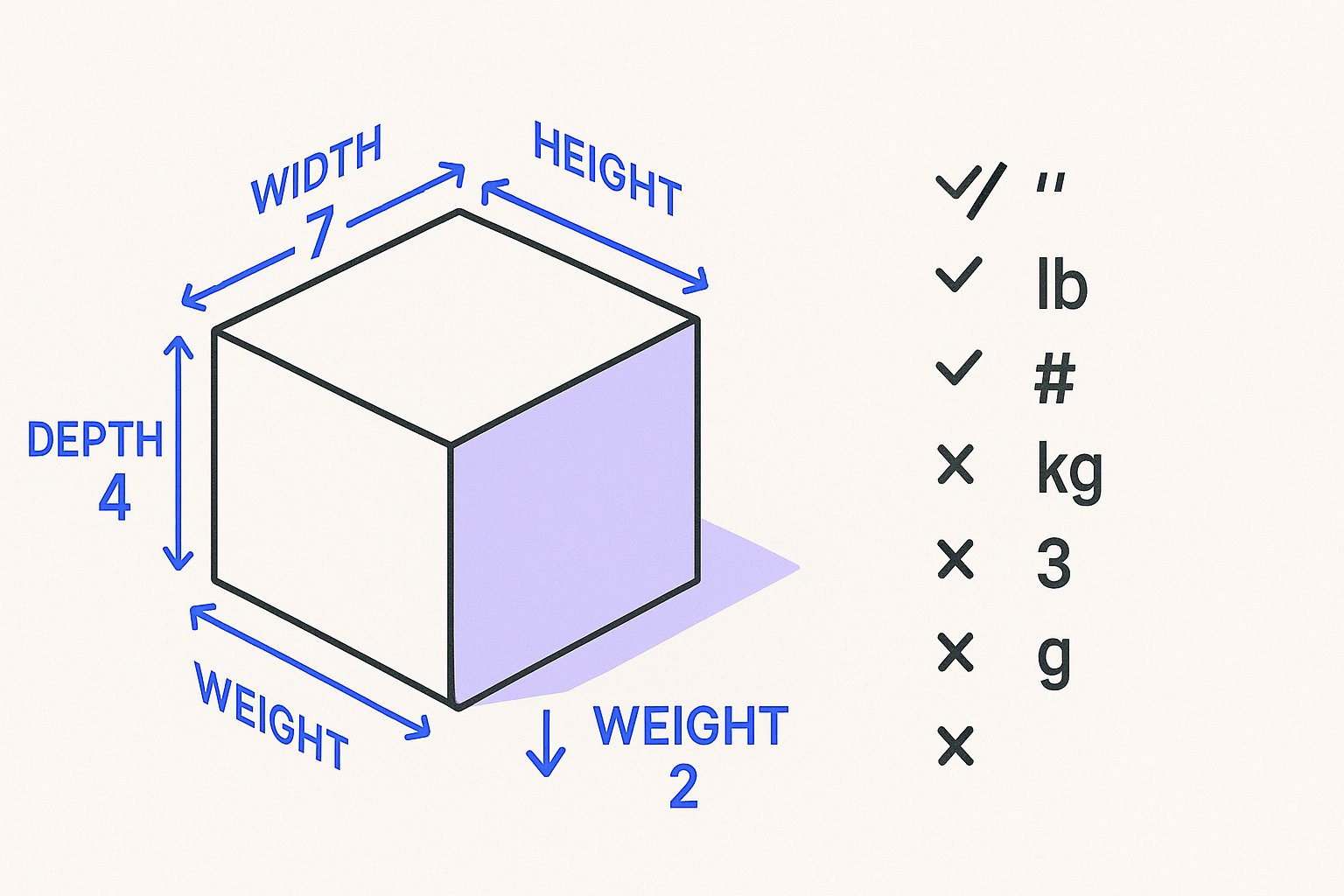
Shipping weight and dimension attributes are among the most misunderstood fields in a Google Shopping feed. Some merchants skip them entirely; others submit them in the wrong units or for the wrong products. This guide explains what each attribute does, when it becomes required, and the formatting rules you need to follow to avoid disapprovals.
What the Four Shipping Attributes Actually Do
Google Merchant Center supports four dedicated shipping-related measurement attributes:
shipping_weight— the weight of the product as it will be shipped, including packagingshipping_length— the length of the packaged itemshipping_width— the width of the packaged itemshipping_height— the height of the packaged item
These four attributes exist specifically to help Merchant Center calculate carrier-based shipping costs when your shipping settings use weight-based or dimensional pricing tiers. If your account uses flat-rate shipping for every product, Google does not need these values. If, however, your shipping service is configured to calculate costs based on parcel weight or size, the relevant attributes become essential for Merchant Center to produce an accurate shipping cost to show alongside your listing.
Note the scope: shipping_weight and the three dimension attributes are distinct from the product's physical weight attribute. The shipping variants represent the packaged unit, not the bare product.
When Each Attribute Is Required vs. Optional
shipping_weight is required when your Merchant Center shipping configuration uses weight-based rate tables. If you have set up a carrier-calculated service or a custom table that tiers prices by weight, every product in that shipping service must carry a valid shipping_weight value. Without it, Merchant Center cannot resolve the shipping cost for that product and may disapprove it or omit a shipping cost from the listing.
shipping_length, shipping_width, and shipping_height follow the same logic but apply when your carrier or custom shipping service calculates costs using dimensional weight (also called DIM weight). Freight-sensitive categories such as large furniture, outdoor equipment, flat-pack shelving, and oversized electronics are the most common cases where all three dimension attributes are needed together.
For products using flat-rate shipping that is defined entirely at the account or shipping service level, none of the four attributes are technically required. They remain optional but can still be submitted for informational completeness.
Category considerations: There is no single fixed list of categories that trigger mandatory submission. The trigger is your shipping configuration, not the category label. A small electronics store using weight-based rates needs shipping_weight just as much as a furniture retailer does. Review your shipping service settings in Merchant Center to determine which attributes your specific setup requires.
Formatting Rules for Values and Units
Correct formatting matters. Merchant Center will not interpret a value it cannot parse, and a malformed attribute is treated as a missing one.
Accepted units for shipping_weight
lb(pounds) — used for US feedsoz(ounces)kg(kilograms) — common for EU and UK feedsg(grams)
The value and unit must be submitted together as a single string. For a text (TSV/CSV) feed, the correct format is:
3.5 kg
For an XML feed:
<g:shipping_weight>3.5 kg</g:shipping_weight>
Do not submit the number alone without a unit, and do not use abbreviations outside the accepted list (for example, lbs instead of lb may not parse correctly).
Accepted units for shipping dimensions
in(inches)cm(centimetres)
Each dimension is submitted separately using the same value-plus-unit format:
12 in
30 cm
All three dimension attributes must use the same unit. Mixing in for length and cm for width in the same product row will produce inconsistent results.
Decimal precision
Google accepts decimal values. Use a decimal point (.), not a comma. 2.75 kg is valid; 2,75 kg is not.
Hypothetical Example: Weight-Based Shipping Setup
The following is a hypothetical example to illustrate correct attribute use. It is not a real merchant account.
Imagine an online pet supplies store — call it Hypothetical Pet Co. — that sells a range of dry dog food bags. Their Merchant Center shipping service uses a weight-based rate table with three tiers: 0–5 kg, 5–15 kg, and 15+ kg, each with a different shipping cost.
For a 10 kg bag of dog food, the correct feed row would include:
| Attribute | Value |
|---|---|
shipping_weight | 11.2 kg (product weight plus packaging) |
availability | in_stock |
Because this store uses weight-based rates, shipping_weight is required for every SKU. If the store also offered a large, bulky dog crate via a dimensional-weight carrier service, they would additionally need to submit:
| Attribute | Value |
|---|---|
shipping_length | 90 cm |
shipping_width | 62 cm |
shipping_height | 68 cm |
shipping_weight | 14.5 kg |
Without those dimension values, Merchant Center could not compute the correct shipping cost for the crate under a DIM-weight carrier rule, potentially leading to a disapproval or an incorrect shipping estimate shown to shoppers.
Note that the availability attribute is separate from shipping attributes but equally important. Google documentation states it is "Required for all products" and must match what is shown on the landing page. A product correctly formatted with shipping weight but submitted as in_stock when it is actually sold out will still fail minimum requirements.
Keeping Availability and Shipping Data in Sync
Shipping weight and availability are closely related in practice. If a product goes out of stock, you should update the availability attribute rather than removing the item from your feed. Google documentation is explicit: "do not delete the item. Adding an offer back after deletion will take a significant amount of time before it can show again."
For products set to preorder or backorder, Google requires an additional attribute: availability_date. According to Google documentation, this attribute is "Required if you set the availability [availability] attribute to preorder or backorder" and accepts ISO 8601 format — for example, 2026-12-01T09:00+0000. The date can be up to one year in the future.
In a text feed, submit it as:
2026-12-01T09:00+0000
In XML:
<g:availability_date>2026-12-01T09:00+0000</g:availability_date>
The availability_date value must also appear visibly on the product's landing page. Omitting it for a preorder or backorder product will result in a disapproval.
Common Mistakes to Avoid
- Submitting product weight instead of shipping weight. The packaged weight is what matters for carrier rate calculations, not the bare product weight printed on the box.
- Missing units. Submitting
3.5instead of3.5 kgmeans Merchant Center cannot interpret the value. - Inconsistent dimension units. Using inches for one dimension and centimetres for another in the same product row.
- Leaving dimensions blank for dimensional-weight carrier services. If your carrier service uses DIM weight, all three dimension attributes are needed.
- Not updating availability when stock changes. Mismatches between your feed's
availabilityvalue and your landing page are a leading cause of disapprovals.
Managing these attributes across a large catalog manually is error-prone. Magicfeedpro is built to help you map, validate, and maintain shipping attributes and availability values as part of a structured feed workflow, reducing the risk of disapprovals from formatting errors or stale data.
For a broader look at resolving common Merchant Center errors, see the Google Merchant Center Errors: 12 Common Fixes guide on the Magicfeedpro blog.
Related articles

identifier_exists With a GTIN: What to Set for brand
When a product has a valid GTIN but no brand value, here is what Merchant Center requires for identifier_exists and brand.
Price and sale_price Formatting Rules for Merchant Center Feeds
Exact currency codes, decimal rules and landing page requirements for price and sale_price attributes in Google Merchant Center.

How to Diagnose Missing GTINs in a Product Feed
Step-by-step checks to find, fix, or correctly omit GTINs in your Google Shopping product feed.