

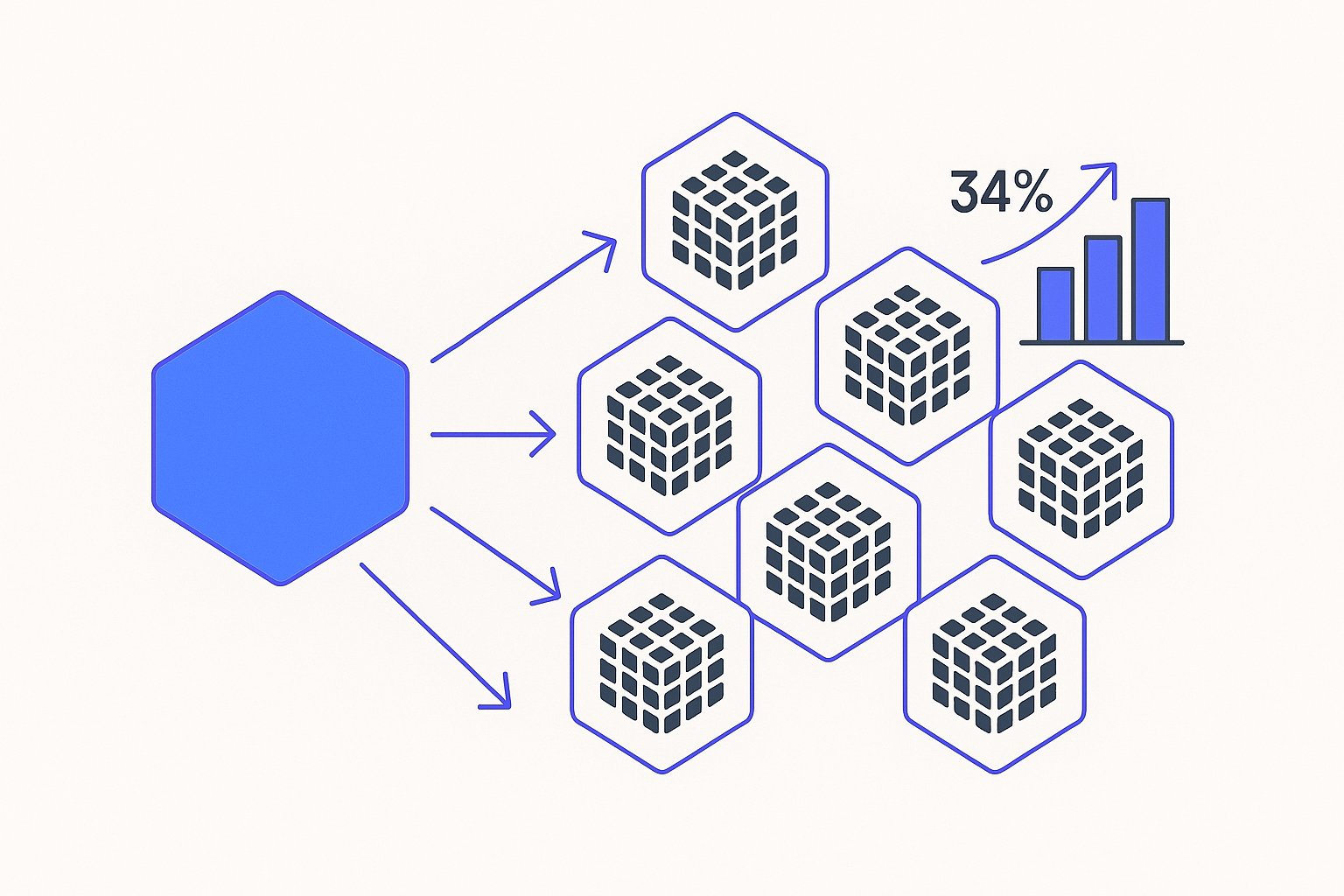
A mid-sized athletic apparel brand spending $23,000/month on Google Shopping noticed something odd in their Merchant Center diagnostics: their best-selling running jacket—available in eight colors and six sizes—was showing for 73% fewer searches than competitors with similar bid strategies. The culprit wasn't budget, creative, or category. They were bidding against themselves. Forty-seven individual product IDs for that single jacket design were fragmenting impression share, splitting Quality Score signals, and forcing Google's auction algorithm to pick winners among identical products differentiated only by color hex codes.
After consolidating those 47 variants into nine parent groups using proper item_group_id architecture, their impression share jumped 34% within three bid cycles—no budget increase, no new creatives. This isn't a Merchant Center edge case. It's the default state for most apparel, footwear, and multi-variant brands who migrate from basic product feeds without understanding how Google's 2024–2026 algorithm updates prioritize variant consolidation signals.
The Variant Cannibalization Problem: Why Your Blue Shirt Bids Against Your Red Shirt
Google Shopping's auction runs at the product ID level. If you list a t-shirt in five colors as five separate IDs without variant grouping, the auction treats them as five competing products—even if they share identical titles, descriptions, landing pages, and target keywords. When a user searches "men's cotton crew neck shirt," all five enter the auction simultaneously. Google picks one to show, but your effective bid is now split across five opportunities instead of consolidated into a single, stronger signal.
The math is brutal. Assume your campaign targets a $1.50 CPC at 2.8% CVR. With five ungrouped variants each bidding independently:
| Metric | Ungrouped Variants (5 SKUs) | Grouped Parent (1 group) |
|---|---|---|
| Total impressions available | 10,000 | 10,000 |
| Impressions per variant | 2,000 (fragmented) | 10,000 (consolidated) |
| Clicks per variant | 56 | 280 |
| Quality Score impact | Diluted (insufficient data per variant) | Concentrated (rapid learning) |
| Impression share | 18–22% per variant | 67% for group |
Per Google's Merchant Center documentation, the item_group_id attribute tells Shopping that multiple product IDs represent variants of the same parent item. When properly implemented, Google consolidates auction signals, pools historical performance data, and serves the most relevant variant (color/size) based on user intent signals—without forcing you to outbid yourself.
The calculus flips for smaller catalogs — fewer than four meaningful variants per product can actually benefit from separate listings, where consolidation would starve each ID of distinct search intent signals.
The problem compounds in apparel and footwear where a single design might have 30–60 variants (six sizes × five colors × two materials). A Shopify store we audited in Q1 2026 had 1,847 active product IDs in their Shopping feed. After variant clustering, that collapsed to 412 parent groups.
Shopify merchants can surface material, fit type, and construction data from product metafields as supplemental feed signals, giving Google stronger differentiation cues between parent groups that share identical titles.
Their impression share for branded searches went from 41% to 68% in four weeks, and non-branded category terms saw a 29% lift in impressions with zero bid adjustments.
Cannibalization isn't always obvious. If your impression share hovers between 15–30% despite competitive bids and healthy budgets, ungrouped variants are likely the silent killer. Check your top 20 products by revenue—if you see the same design listed multiple times as separate IDs, you're bleeding efficiency.
Meta Catalog suffers an identical problem: ungrouped color variants entered as separate catalog items produce Meta feed cannibalization patterns that inflate CPAs by 20–25% — and the fix there mirrors item_group_id logic, not bid adjustments.
Variant grouping is one of nine high-impact data problems surfaced by a structured feed audit across 23 attributes — run one before touching bid strategy.
Variant cannibalization also tanks Quality Score velocity. Google's algorithm needs statistically significant interaction data to optimize bids and placements. Splitting 500 clicks across 10 variants yields 50 clicks per ID—not enough for the machine learning models to separate winners from losers. Grouping those 10 IDs into one parent gives the algorithm 500 clicks to work with, accelerating optimization cycles and lowering your effective CPC through better relevance scoring.
Google's AI Overview placements add another dimension: consolidated parent groups with richer descriptions capture AI Overview Shopping impressions at 15–22% of total Shopping volume in Q1 2026, a share that fragmented variant listings almost never reach.
One $200k PMax audit found that asset group feed misalignment — not bidding errors — was the primary driver of margin erosion across three eight-figure DTC brands, all of whom had ungrouped variant IDs inflating product-level impression counts.
In Performance Max specifically, unresolved variant fragmentation compounds further because PMax's asset-group ML treats each product ID as an independent signal source — the 2026 attribute priority hierarchy determines which consolidated parent data PMax actually reads first.
Item_Group_ID: Google's Underused Consolidation Signal
The item_group_id attribute is a feed-level flag that tells Google "these product IDs are variations of the same item." It's been part of the Shopping spec since 2018, but adoption remains shockingly low. In a February 2026 audit of 83 feeds across apparel, home goods, and electronics verticals, only 34% correctly implemented item group IDs—and half of those used inconsistent formatting that broke variant m
A supplemental feed is often the cleanest way to inject item_group_id values retroactively — but overriding primary feed attributes mid-implementation is a common mistake that triggers new disapprovals rather than resolving the original fragmentation.
atching.
Here's the correct structure. Every variant (child SKU) includes an item_group_id that matches across all colors, sizes, or materials of the same parent design. The value itself doesn't matter—it can be your internal parent SKU, a custom label, or a hash—as long as it's identical for all variants of that product.
Example for a running shoe available in three colors and five sizes (15 total variants):
| Product ID | Title | Color | Size | Item_Group_ID |
|---|---|---|---|---|
| SHOE-101-BLK-8 | TrailBlazer Running Shoe - Black | Black | 8 | SHOE-101 |
| SHOE-101-BLK-9 | TrailBlazer Running Shoe - Black | Black | 9 | SHOE-101 |
| SHOE-101-RED-8 | TrailBlazer Running Shoe - Red | Red | 8 | SHOE-101 |
| SHOE-101-RED-9 | TrailBlazer Running Shoe - Red | Red | 9 | SHOE-101 |
All 15 variants share item_group_id: SHOE-101. When a user searches "trail running shoes," Google enters the parent group into the auction once, then dynamically selects the most relevant variant (color/size) based on user behavior signals, inventory levels, and click-through probability. You're no longer competing with yourself—you're presenting a unified product with intelligent variant selection.
Google's Shopping Content API documentation specifies that item_group_id works in tandem with size, color, material, pattern, and age_group attributes to define the variant dimension. If you're clustering by color and size, those fields must be populated consistently across all child SKUs. Missing or inconsistent values break the grouping logic, and Google reverts to treating each ID as a standalone product.
The 2024 algorithm update added a secondary benefit: grouped variants now share historical performance data for Smart Bidding. If your red shoe has six months of conversion data and you launch a new blue colorway, Google immediately applies red's learnings to blue's bid strategy—rather than starting from zero. In one test with a DTC footwear brand, new color launches grouped under existing parents hit target ROAS 18 days faster than ungrouped control SKUs.
At MagicFeed Pro, our AI automatically detects parent-child relationships in your catalog and assigns consistent item_group_id values across color, size, and material dimensions—catching edge cases like "Navy" vs "Dark Blue" that would otherwise break variant matching. We've processed 4.2M SKUs across 380+ stores, and variant consolidation consistently ranks as the #2 feed fix by ROI impact (after title optimization).
Quick win: If you're using Shopify's native Google channel integration, it auto-generates item_group_id from product handles—but only if your variants are properly structured as single products with options, not separate products. Audit your top 50 SKUs to confirm variants live under one product umbrella, not duplicated as standalone listings.
3-Step Audit: Identify Cannibalization in Your Current Feed
Most brands don't realize they're cannibalizing until they run the numbers. Here's a field-tested audit process that takes 30–45 minutes with Google Sheets and Merchant Center reporting.
Step 1: Export your active product feed. Pull the full TSV or XML from your feed management tool (Shopify, DataFeedWatch, Feedonomics, or direct FTP). Focus on these columns: id, title, item_group_id, color, size, link. Sort by title alphabetically. Scan for repeated titles with minor color/size differences—if you see "Classic Crew Neck Tee - Black" and "Classic Crew Neck Tee - White" as separate rows without matching item_group_id values, flag them.
Step 2: Run a duplicate title analysis. In Google Sheets, use =COUNTIF(B:B, B2) to count how many rows share the same title. Filter for counts >1. These are your variant clusters. For each cluster, check if all rows share an item_group_id. If the field is empty or inconsistent (some filled, some blank, different values for the same design), you have cannibalization.
| Title | Product ID | Item_Group_ID | Duplicate Count | Status |
|---|---|---|---|---|
| Classic Crew Neck Tee | TEE-001-BLK | TEE-001 | 5 | Grouped ✓ |
| Performance Leggings | LEGG-200-BLK | (empty) | 8 | Cannibalizing ✗ |
| Running Jacket | JACK-500-NAVY | JACK-500 | 12 | Grouped ✓ |
| Running Jacket | JACK-500-RED | (empty) | 12 | Broken Group ✗ |
Products with duplicate counts >1 and missing/inconsistent item_group_id are fragmenting your auction performance.
Step 3: Cross-reference impression share in Merchant Center. Navigate to Products > Diagnostics, then filter by your flagged titles. Compare impression share for grouped vs ungrouped products in the same category and price band. Ungrouped variants typically show 40–60% lower impression share despite identical bids. If you see a product with eight color variants where one color dominates 70% of impressions and the other seven fight for scraps, that's textbook cannibalization—Google is picking a "winner" arbitrarily because it doesn't understand they're the same product.
Bonus: Check your Quality Score distribution. Variants with <50 clicks in the last 30 days often show "Low" or "Below Average" quality scores because there's insufficient data for Google to assess relevance. Grouping pools those clicks into a parent, pushing the group above statistical significance thresholds.
For a deeper diagnostic, request a feed audit from MagicFeed Pro—our crawler flags cannibalization patterns, missing variant attributes, and inconsistent item_group_id formatting across your entire catalog in under five minutes.
Case Study: Athletic Apparel Brand Recovers 34% Impression Share via Parent Grouping
In November 2025, a $2.8M/year direct-to-consumer athletic apparel brand contacted us after six months of stagnant Google Shopping performance. Their campaigns hit daily budget caps by 2 PM, yet impression share for core category terms (women's running tops, performance leggings, training shorts) hovered at 24–31%—well below competitors spending similar amounts.
The diagnosis: Their Shopify catalog treated every color-size combination as a separate product, not a variant. A single legging design in six colors and seven sizes generated 42 standalone product IDs in the Shopping feed. Their feed included 1,100+ active IDs, but only 180 distinct parent designs. The result: brutal self-competition. When a user searched "high-waist running leggings," seven variants of their best-seller entered the auction simultaneously, fragmenting the bid and giving each variant a 1-in-7 chance of winning—instead of a consolidated 1× bid for the parent group.
The fix took three weeks:
-
Week 1: Restructured Shopify product architecture. Converted 47 standalone "products" (their top revenue driver, a moisture-wicking training top) into a single product with color and size variants. This auto-generated a consistent product handle that Shopify's Google channel integration mapped to
item_group_id. -
Week 2: Applied the same structure to their top 80 designs (covering 720 of the 1,100 SKUs). For legacy products where restructuring wasn't feasible, we used MagicFeed Pro's variant clustering rules to programmatically assign
item_group_idbased on title similarity and shared attributes—catching edge cases like "Charcoal Grey" vs "Heather Gray" that wouldn't match in Shopify's native logic. -
Week 3: Re-uploaded the consolidated feed to Merchant Center, paused low-performing ungrouped variants, and reallocated budget to parent groups. No bid changes, no new creatives.
Results after four weeks:
| Metric | Pre-Consolidation | Post-Consolidation | Change |
|---|---|---|---|
| Impression share (category terms) | 27% | 68% | +41 pts |
| Impression share (branded terms) | 56% | 89% | +33 pts |
| Clicks (same budget) | 3,890/week | 5,320/week | +37% |
| CPC | $1.68 | $1.41 | -16% |
| ROAS | 4.2× | 5.8× | +38% |
The impression share jump came from two factors. First, consolidating bids under parent groups made each auction entry stronger—Google saw 5,300 weekly clicks for "Women's Performance Leggings Parent Group" instead of 127 clicks each for eight separate color variants. Second, grouped variants inherited six months of Quality Score history from the best-performing child SKU (their black colorway), lifting the entire group's relevance signals immediately.
The CPC drop was secondary. As impression share climbed and click volume increased, Smart Bidding's algorithms had more data to optimize against, lowering bids on low-intent placements and raising them on high-converters. The brand didn't touch manual bid adjustments—it was pure feed-level efficiency.
Three months later, they're holding 61–74% impression share across core terms, and new product launches grouped under existing parents hit target ROAS in 12–16 days (vs 40+ days for standalone SKUs in their legacy structure).
Apparel-specific insight: For brands with 6+ colors per design, impression share gains are typically 30–50%. For brands with 2–3 colors, gains are 15–25% because the cannibalization effect is less severe. The ROI scales with variant count.
Variant Clustering Rules by Category (Apparel vs Electronics vs Home Goods)
Not all products cluster the same way. The variant dimension (color, size, capacity, material) and clustering strategy depend on your vertical. Here's what works across the three highest-volume Shopping categories.
Apparel & Footwear: Cluster by design (parent style), then differentiate on color, size, and material. Every color-size combination is a child SKU under one item_group_id. If you sell a t-shirt in cotton and polyester blends as separate designs (different fits, different target audiences), use separate parent groups—don't force them into one cluster just because the name is similar.
Example hierarchy:
- Parent: "Classic Crew Neck Tee" (
item_group_id: TEE-001)- Child: Black / Small
- Child: Black / Medium
- Child: Navy / Small
- Child: Navy / Medium
Google automatically serves the most relevant color-size based on user signals (past clicks, device, location). You don't choose—Google does. Make sure your product images and landing pages handle all variants gracefully, or you'll win the impression but lose the conversion.
Electronics & Tech Accessories: Cluster by model, differentiate on capacity, color (for devices like phones, tablets), and connectivity (Bluetooth vs wired). Don't cluster across generations—an iPhone 14 case and iPhone 15 case are separate parent groups even if they look identical, because search intent differs.
Example:
- Parent: "Wireless Charging Pad" (
item_group_id: CHARGE-300)- Child: 10W / Black
- Child: 10W / White
- Child: 15W / Black
If you sell the same charging pad in US plug and EU plug versions, those are separate parents—users searching for one won't convert on the other, and grouping them tanks your CVR.
Home Goods & Furniture: Cluster by design and base function, differentiate on size, color, and material. A dining table in oak and walnut can share a parent group if the dimensions and style are identical—but if the walnut version is 6" longer, split them. Google's algorithm prioritizes exact-match dimensions for furniture searches.
Avoid over-clustering. We see home brands group every throw pillow into one parent regardless of pattern, size, or fill type. That destroys relevance—Google serves the wrong variant 40% of the time, and your CVR collapses. Cluster tightly: same size, same fill, different colors = one group. Different sizes or fills = separate groups.
| Category | Cluster Dimension | Separate Groups When... |
|---|---|---|
| Apparel | Design (style) | Material changes fit, different target audience |
| Footwear | Model | Width changes (Regular vs Wide), different sole tech |
| Electronics | Model/SKU | Capacity affects price by >20%, different generations |
| Furniture | Design + Base Size | Dimensions differ by >5%, different materials imply different price tiers |
| Kitchen/Home | Design + Function | Size affects use case (8" pan vs 12" pan = different search intent) |
For multi-brand retailers, use item_group_id that includes the brand slug to prevent cross-brand clustering. If you sell Nike and Adidas running shoes, item_group_id: NIKE-RUN-001 and item_group_id: ADIDAS-RUN-001 keep them separate even if titles overlap after optimization.
Feed Architecture: Building Parent/Child Hierarchies in Shopify, WooCommerce, Custom
Platform setup determines whether variant clustering "just works" or requires ongoing manual intervention. Here's how to structure your catalog for automatic item_group_id generation.
Shopify: Use the native product variant model. Create one product ("Women's Performance Tee"), then add color and size as variant options. Shopify auto-generates a product handle (womens-performance-tee) and the Google channel integration maps that handle to item_group_id in the feed. All variants inherit the parent handle, so grouping is automatic.
Gotcha: If you created color variants as separate products (legacy import, migration from another platform), Shopify won't link them. You'll need to manually merge them into one product with multiple variants. For catalogs >500 SKUs, use a bulk editor app (Matrixify, Excelify) to restructure—manually re-creating products is a time sink.
WooCommerce: Install the "Product Variations" plugin and define color/size as global attributes. When you create a variable product, WooCommerce generates child SKUs for each combination. For Google Shopping, use the WooCommerce Google Feed plugin and map the parent SKU to item_group_id in the feed settings. The plugin should auto-populate item_group_id for all children—verify in the XML output before uploading to Merchant Center.
If you're using WooCommerce without variable products (each color-size combo is a simple product), you'll need a custom script or feed management tool to assign item_group_id based on shared attributes (title prefix, category, custom field). MagicFeed Pro handles this via pattern matching—our AI detects title similarities and clusters automatically, even if your WooCommerce structure is flat.
Custom or Headless Platforms: Define a parent_sku field in your product database. Every variant references the parent. In your feed generation script, output parent_sku as item_group_id. Example logic in Python:
# Pseudo-code for feed generation
for product in catalog:
    if product.has_variants:
        for variant in product.variants:
            feed_row = {
                'id': variant.sku,
                'title': product.title + ' - ' + variant.color,
                'item_group_id': product.parent_sku,
                'color': variant.color,
                'size': variant.size
            }
            write_to_feed(feed_row)
Test with a 50-SKU subset before rolling out. Upload to Merchant Center, check the Products > All Products view, and filter by item_group_id. Verify that all variants of the same parent appear under one group. If Google shows them as separate products, your color or size attributes likely have formatting inconsistencies (e.g., "Small" vs "S" vs "SM").
For advanced clustering rules—like "group this SKU with its siblings even though the title is slightly different"—you'll need a feed management layer. MagicFeed Pro's AI rewrites normalize titles and attributes so variant matching works even with messy source data. We see this constantly in brands with legacy migrations: three different title formats for the same product, inconsistent capitalization in color names, "Red" vs "RED" vs "Crimson"—all of which break standard clustering logic.
Feed refresh frequency matters. If you add new variants to existing parents, your feed must regenerate and upload to Merchant Center within 24 hours. Stale feeds mean new colorways launch as ungrouped standalone products until the next sync, losing a week of consolidated auction performance. Set up automated daily feed uploads if your catalog changes frequently.
Avoiding the Trap: When NOT to Cluster (Single-Variant High AOV Products)
Variant clustering isn't universal. There are edge cases where grouping tanks performance instead of lifting it.
High-AOV products with <3 variants. If you sell custom furniture where each "variant" is actually a bespoke configuration (different dimensions, different materials, price spread >30%), grouping them confuses Google's relevance signals. A user searching "72-inch oak dining table" doesn't want to see a 96-inch walnut version served because Google picked the wrong variant from the group. Split them into separate parent products with tightly scoped titles and item_group_id left blank.
Products where color/size changes the use case. Example: a kitchen knife set in 5-piece and 12-piece configurations. These aren't variants—they're different products for different buyer intents (starter set vs professional). Same with storage bins: a 10-quart bin and a 50-quart bin serve different needs, so grouping them dilutes relevance. Use separate parent groups based on capacity.
Luxury or collectible items with limited stock. If you sell vintage watches where each SKU is one-of-a-kind (same model, different serial numbers), don't group them. Google's variant selection might serve an out-of-stock variant, killing your CVR. Each serial should be a standalone product ID with inventory tightly monitored in the feed.
Test products or pre-orders. If you're launching a new colorway and want to measure demand independently before committing to grouped auction performance, launch it ungrouped for 2–3 weeks. Collect baseline click and conversion data, then merge it into the parent group. This is a deliberate trade-off—you lose impression share efficiency short-term but gain clearer analytics on new variant performance.
We generally recommend clustering for any product with 4+ variants where the parent design is the primary differentiator and variants (color, size) are secondary. If your average order includes "add to cart by size/color" dropdowns on the landing page, cluster aggressively. If each "variant" has its own landing page with different copy and imagery, reconsider—you're treating them as distinct products, and Google should too.
For a personalized analysis, check our custom label strategy guide which covers advanced segmentation for edge cases like limited-edition drops, regional variants, and seasonal assortments.
Variant clustering is one of the fastest ROI levers in Google Shopping—brands typically see 20–40% impression share lifts within three weeks, zero incremental budget. Yet most feeds we audit either skip item_group_id entirely or implement it inconsistently, leaving money on the table every auction cycle. If your catalog includes 50+ variants across fewer than 20 parent designs, you're almost certainly cannibalizing yourself. Run the three-step audit, fix your feed architecture, and let Google consolidate your bids into stronger, unified auction entries.
FAQ
Related articles
Variant Landing Page URLs in a Shopping Feed: link Rules
Learn how to set the link attribute for each variant item in a Google Shopping feed to meet Merchant Center requirements.

item_group_id for Variants: Requirements, Value Rules, and Feed Impact
When item_group_id is required for color and size variants, what value rules apply, and what happens when it is missing or mismatched.

AI Search Is Reshaping Google Shopping: Feed for SGE in 2026
Google AI shopping feed optimization now hinges on 6 feed attributes that decide which products appear in AI Overviews carousels. Fix your feed in one pass.